> ## Documentation Index
> Fetch the complete documentation index at: https://docs.rubbrband.com/llms.txt
> Use this file to discover all available pages before exploring further.
# Image to Image/Redux Node
> Learn about how to use Rubbrband's Image to Image Node
## Image to Image Flux Node
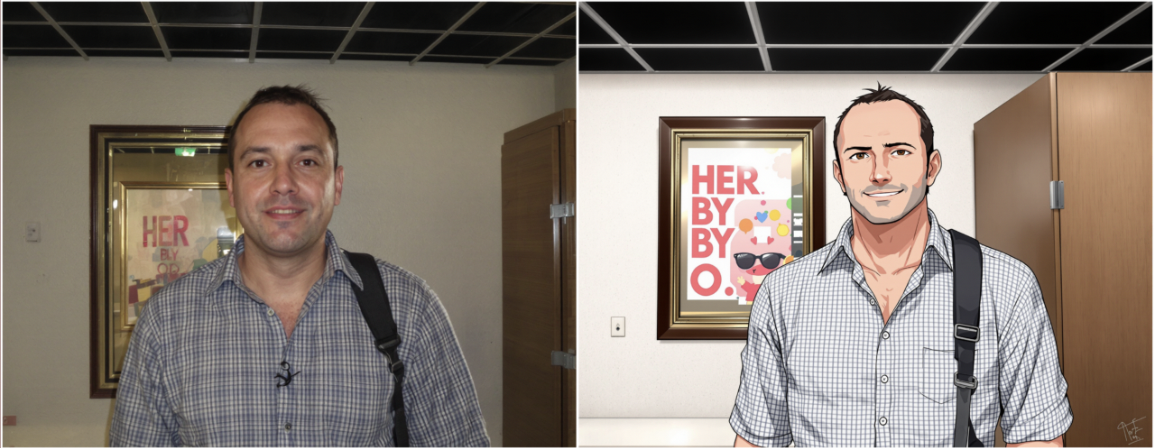
The image to image flux node uses flux technology to generate variations of images. This is also called Redux in Blackforest FLUX models. As a result, Rubbrband Redux nodes are the same as the Image to Image nodes.
 **Inputs**
The prompt that describes the image to be generated.
The base image that will be varied.
**Settings**
Switch on this setting to allow the AI to add details to your prompt to
improve generations. This helps image quality, but can occasionally lead to
worse prompt adherence.
Add up to 3 colors using the color palette to select.
Guidance is a scale from 0 to 100 that measures how much the output image
should adhere to the prompt. Increasing guidance to values that are too high
result in a lack of coherence -- the images follow the prompt, but they won't
look quite right.
A random number that will set the seed for the generation. Keeping the seed
constant will result in the same outputs. -1 randomizes the seed.
**Outputs**
The variation output image
## Image to Image Flux Pro Ultra Node
The image to image flux node uses flux pro ultra technology to generate variations of images.
**Inputs**
The prompt that describes the image to be generated.
The base image that will be varied.
**Settings**
Switch on this setting to allow the AI to add details to your prompt to
improve generations. This helps image quality, but can occasionally lead to
worse prompt adherence.
Add up to 3 colors using the color palette to select.
Guidance is a scale from 0 to 100 that measures how much the output image
should adhere to the prompt. Increasing guidance to values that are too high
result in a lack of coherence -- the images follow the prompt, but they won't
look quite right.
A random number that will set the seed for the generation. Keeping the seed
constant will result in the same outputs. -1 randomizes the seed.
**Outputs**
The variation output image
## Image to Image Flux Pro Ultra Node
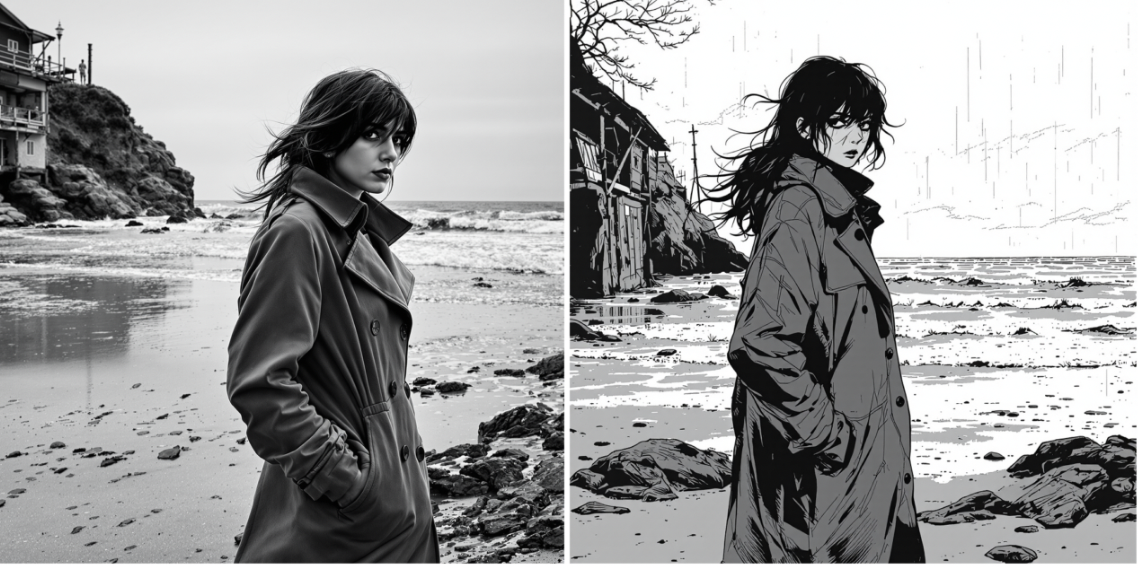
The image to image flux node uses flux pro ultra technology to generate variations of images.
 **Inputs**
The prompt that describes the image to be generated.
The base image that will be varied.
**Settings**
Switch on this setting to allow the AI to add details to your prompt to
improve generations. This helps image quality, but can occasionally lead to
worse prompt adherence.
Add up to 3 colors using the color palette to select.
A number from 0 to 1 that represents the strength of the base image when
producing the variation. Increasing the strength increases the similarity of
the output to the base image.
A random number that will set the seed for the generation. Keeping the seed
constant will result in the same outputs. -1 randomizes the seed.
Switch on this setting for more realistic, natural images.
**Outputs**
The variation output image
**Inputs**
The prompt that describes the image to be generated.
The base image that will be varied.
**Settings**
Switch on this setting to allow the AI to add details to your prompt to
improve generations. This helps image quality, but can occasionally lead to
worse prompt adherence.
Add up to 3 colors using the color palette to select.
A number from 0 to 1 that represents the strength of the base image when
producing the variation. Increasing the strength increases the similarity of
the output to the base image.
A random number that will set the seed for the generation. Keeping the seed
constant will result in the same outputs. -1 randomizes the seed.
Switch on this setting for more realistic, natural images.
**Outputs**
The variation output image